All Solutions
Solution · Restaurant & Hospitality OS

Keep orders moving through your busiest shift.

Send waiter orders to the right kitchen screen, track tables and close bills in one connected routine. Configure stock updates around your menu, then test a service period with your floor and kitchen team.

Multi-station KDS routingOffline local network resilienceAutomated ERP stock depletion
Real BackHouse product screenOperations Dashboard
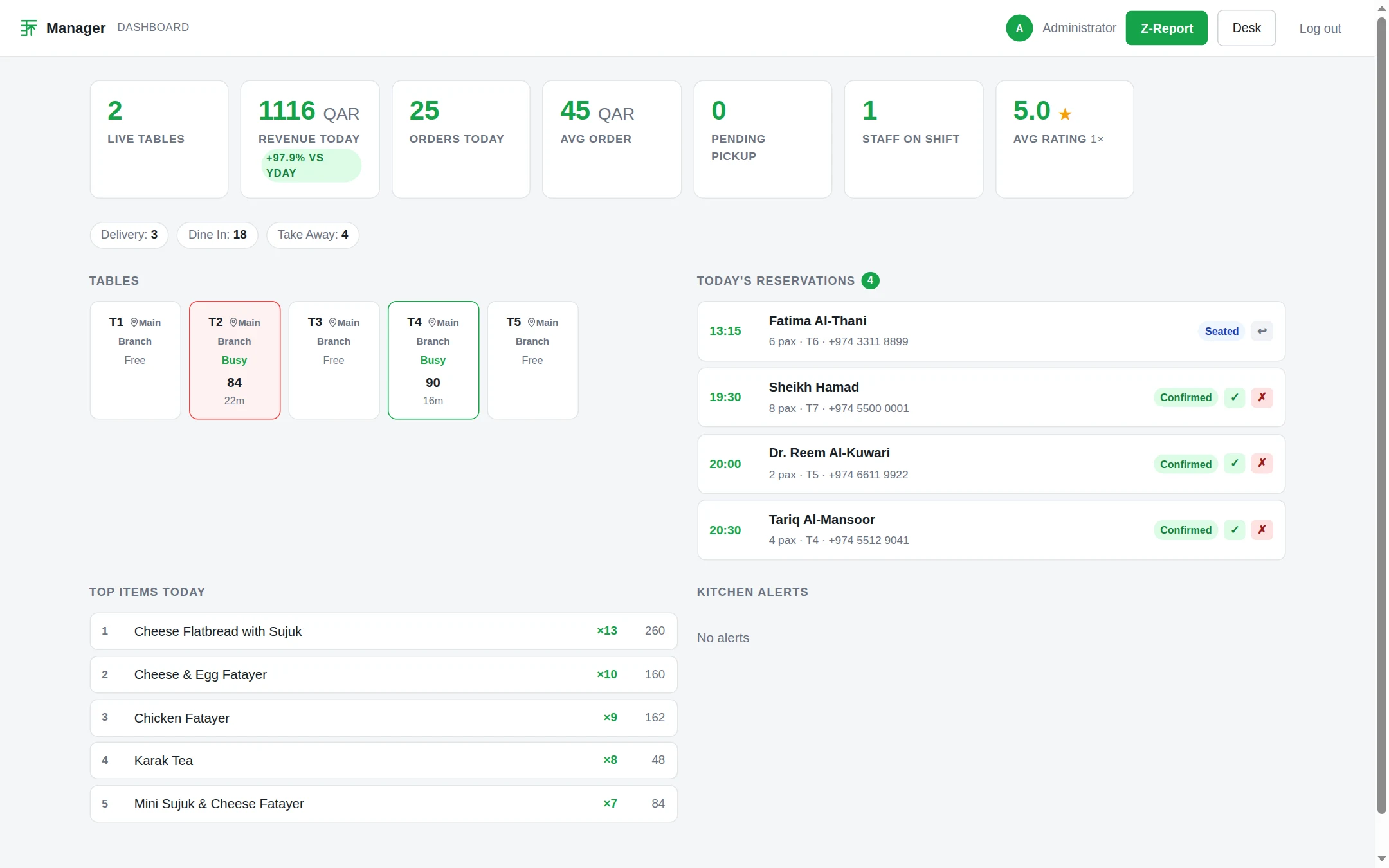
BackHouse manager operations dashboard displaying live dining tables, daily revenue, bookings timeline, top-selling items, and visible staff-on-shift count
View full size

Live manager operations dashboard tracking active dining tables, daily revenue metrics, reservation flow, top-selling dishes, and visible staff-on-shift count in real time.

See the output before you decide

Explore the screens and sample outputs below. In your walkthrough, we will demonstrate the workflow that matters to your business and explain the setup required.

Direct order routing between service floor and kitchen display stations

The solution

Floor staff enter table orders on mobile tablets, and tickets route instantly to assigned hot, cold, and beverage preparation screens with real-time course timing.

What changes

Kitchen stations prepare orders from prioritized digital displays instead of lost paper tickets, while supervisors view preparation status across active tables.

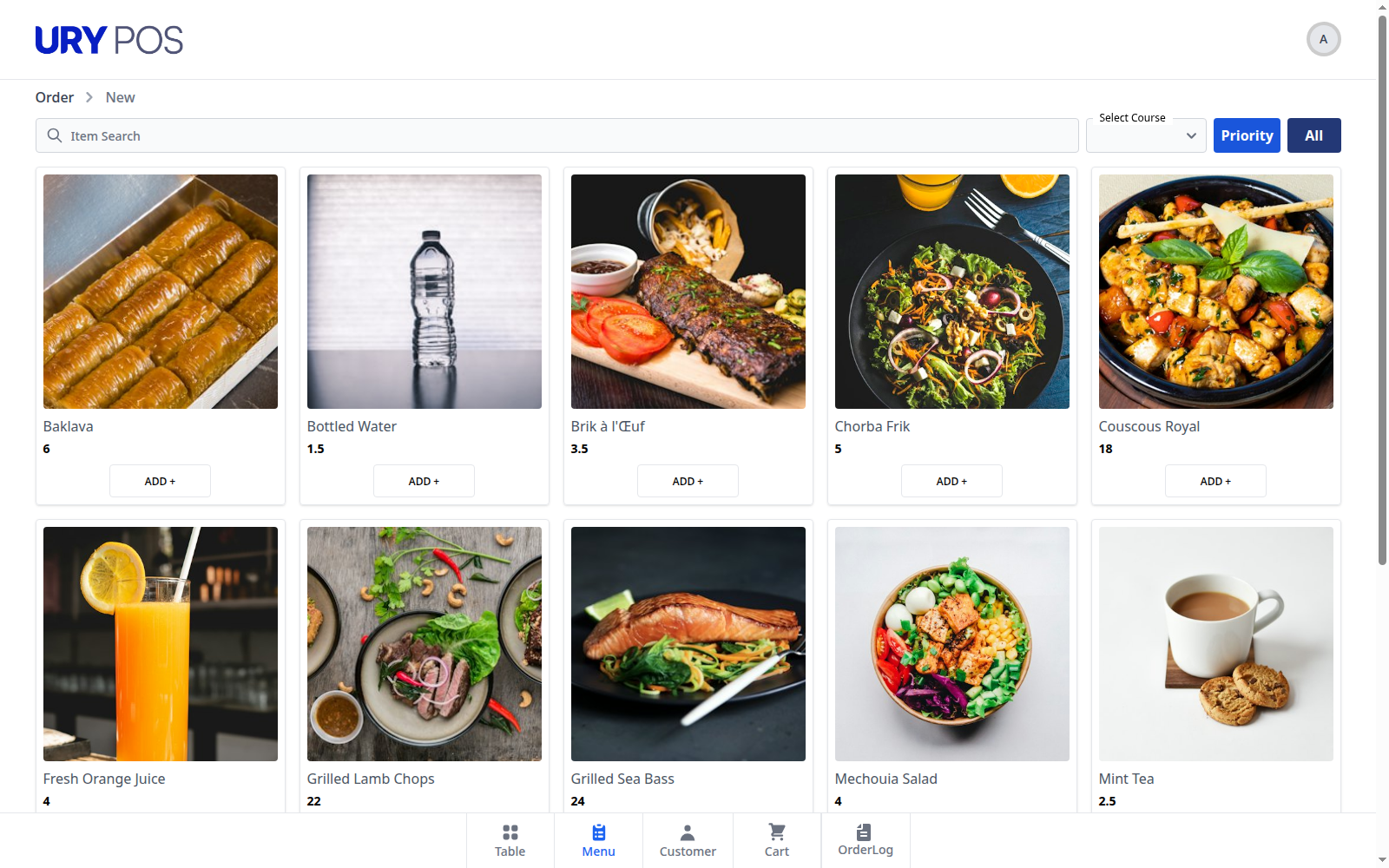
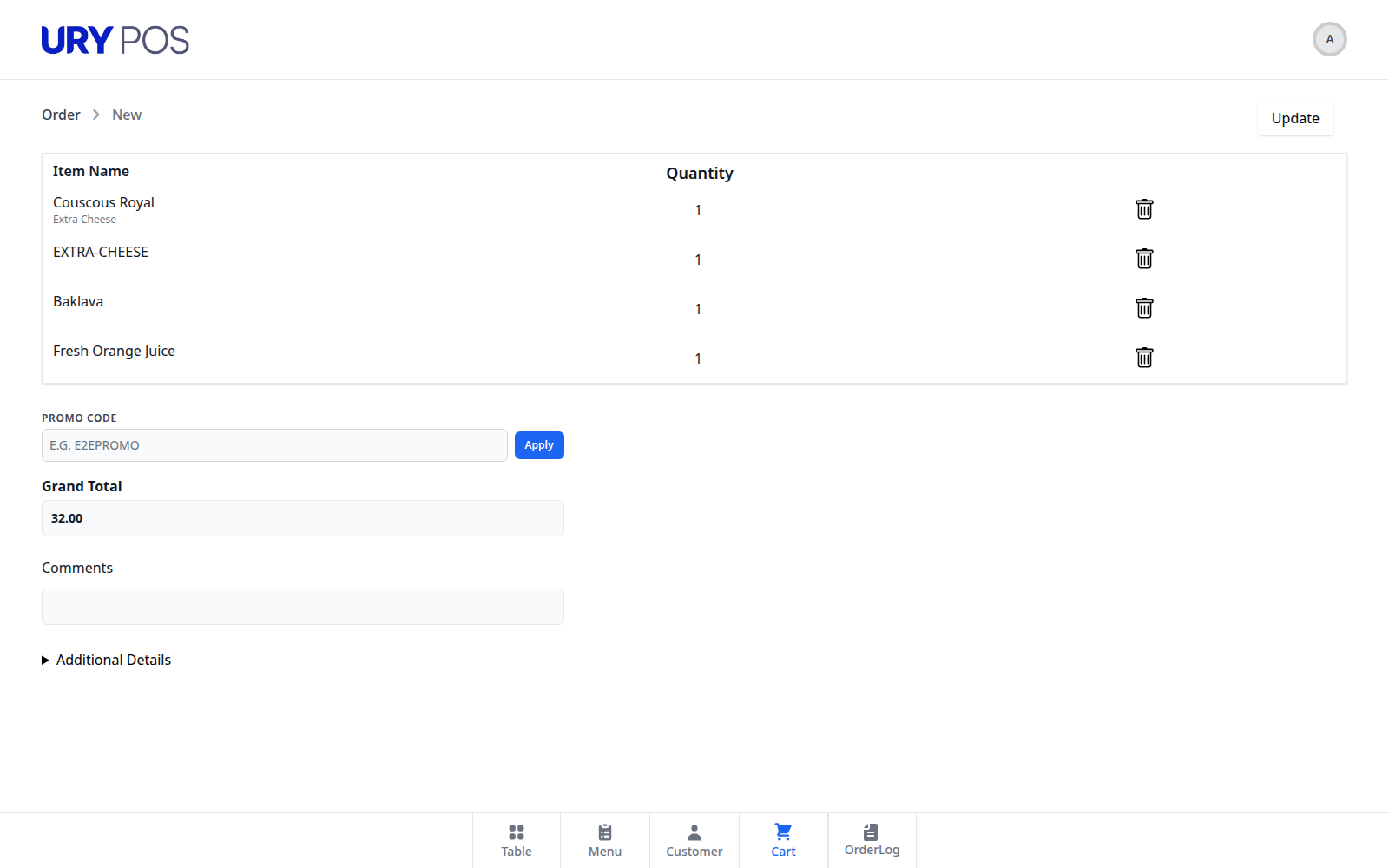
Supporting proof: Product captureKitchen order screen
app.basira.llc/backhouse

Inspect the kitchen display from the restaurant suite. In your demo, follow an entered order through station routing, preparation and staff updates.
Operational Lifecycle

From tableside ordering to kitchen execution and invoice settlement.

Follow a complete restaurant service encounter across floor tablet entry, kitchen station routing, and recipe stock depletion.

01Step 1 of 3

Table Order Entry & Course Sequencing

Floor staff enter dining orders on handheld tablets with guest seat assignments, modifiers, and course hold or fire commands.

Input:Dine-in table order & seat assignments
Action:Live table state update on restaurant floor plan
Verified Record:Active dining ticket locked to table number
02Step 2 of 3

Station Routing & Kitchen Display

Order tickets route instantly to hot, cold, and beverage KDS stations with real-time timers and bump-bar completion tracking.

Input:Fired dining ticket items
Action:Kitchen station display routing with prep timers
Verified Record:Station prep timestamps logged for expediter
03Step 3 of 3

Tableside Settlement & Stock Depletion

Guests split bills by seat or item via integrated card terminals; ingredient inventory automatically depletes based on recipe bill of materials.

Input:Payment settlement across split tenders
Action:POS tax receipt generation & recipe inventory deduction
Verified Record:Settled restaurant invoice & updated raw stock balances

Review

Orders, costs & waste

Connect completed orders, food cost, waste, and payment leakage to your own baseline.

Pilot

Start with one service period

Start with one service period and measure ticket flow, course timing, and closeout quality.

Traceable

Order-to-stock flow

Link each order to station activity, recipe depletion, and the ERP ledger.

Baseline

Waste & turn measurement

Establish current operating behavior before evaluating any improvement.

System Modules

Eight modules built specifically for high-volume kitchen & floor execution.

From the moment guests sit down to food preparation, course expediting, tableside split billing, and inventory depletion — every step runs on one system.

Multi-Station KDS

Station-routed digital screens for Grill, Cold/Salad, Pastry, and Pass Expediter with color-coded timers.

  • Station-specific routing
  • Color-coded ticket timers
  • Course hold & release

Tableside Waiter Tablet

Handheld mobile ordering for floor staff with seat-level ordering, fast modifiers, and 1-tap split billing.

  • Seat & guest level ordering
  • Allergy tags & modifiers
  • Instant check split & print

Live Floor Map & Turns

Interactive visual floor layout showing real-time table statuses (Seated, Ordering, Cooking, Paid).

  • Graphic floor layouts
  • Turn duration tracking
  • Multi-section & terrace

Recipe BOM & Depletion

Menu items connect to Bills of Materials. Orders deduct exact grams and units from ERP inventory in real time.

  • Gram-level recipe tracking
  • Real-time stock deduction
  • Low-stock warnings

Expediter Pass Control

Central pass screen lets head chefs verify all station dishes before signaling runners to deliver entrees together.

  • Multi-station consolidation
  • Runner dispatch notifications
  • Course synchronization

Thermal KOT & Bill Print

High-speed ESC/POS network printing for kitchen tickets and bilingual Qatar CR customer bills with QR code.

  • Thermal kitchen order tickets
  • Bilingual Arabic/English bills
  • Buzzer & drawer kick

Delivery Aggregators

Merges Talabat, Snoonu, online web store, and phone orders into one unified kitchen queue with driver timers.

  • Aggregator order ingestion
  • Driver pickup countdowns
  • Unified queue dispatch

Food Cost & Waste Audit

Tracks theoretical ingredient usage against physical closing inventory to identify portion variance and kitchen waste.

  • Theoretical vs actual cost
  • Kitchen spoilage logs
  • Menu item margin analysis
Operational Lifecycle

How BackHouse powers a connected service from order to payment.

Click any stage of the dining service to inspect the exact actions across floor tablets, kitchen displays, and the backend ERP.

Phase 01 · Front of House Host

Guest Seating & Floor Host

Host seats party on live floor plan, assigns server, and starts table dining timer.

Track

Seating baseline

Waiter Tablet / Floor View

Interactive floor grid marks Table 4 as "Seated (4 Guests)" · Server assigned: Karim M.

Kitchen KDS / Station View

Pass expediter screen registers active table occupancy; prep inventory reserves bread service.

ERP General Ledger & Stock Sync

Table session created in ERP dining ledger with timestamp and server ID.

Transformation

Before vs. with BackHouse Restaurant OS.

Eliminate paper docket chaos, mismatched course timings, and manual spreadsheet stock reconciliations.

Traditional Paper & Disconnected POS

  • ✕Handwritten tickets stained, lost, or misread during busy weekend shifts.
  • ✕Waiters constantly walking back and forth to stationary POS terminals.
  • ✕Kitchen stations fire food out of order, causing appetizers and mains to arrive together.
  • ✕Food waste and recipe variance calculated weeks late via manual spreadsheets.

With BackHouse Connected System

  • ✓Digital KDS routing instantly sends items to exact prep stations with cook timers.
  • ✓Handheld tablets allow tableside ordering, modifier tagging, and immediate split checkout.
  • ✓Expediter pass screen coordinates courses so tables receive all dishes at perfect temperature.
  • ✓Real-time recipe BOM stock depletion directly in your Enterprise ERP inventory.
FAQ

Everything you need to know about BackHouse deployment.

Yes. BackHouse KDS sends tickets directly to station-specific screens (Grill, Cold, Pastry) with color-coded timers. You can also run physical thermal KOT printers in parallel if preferred for backup or bar stations.
Working Suite Proof

Real screens from the working BackHouse restaurant suite.

See the exact operational screens across guest reservations, bilingual menus, waiter floor consoles, kitchen displays, and management audit tools — built for speed, Arabic/English bilingual workflows, and clear day-to-day control.

Direct Table Reservations interface showing reservation date, party size, and available dining times

Direct Table Reservations

Guests choose a date, party size, and available dining time without calling.

Bilingual Digital Menu showing Arabic and English dish search, dietary filters, QAR prices, and quantity controls

Bilingual Digital Menu

Web ordering with Arabic/English search, dietary filters, QAR pricing, and quantity controls.

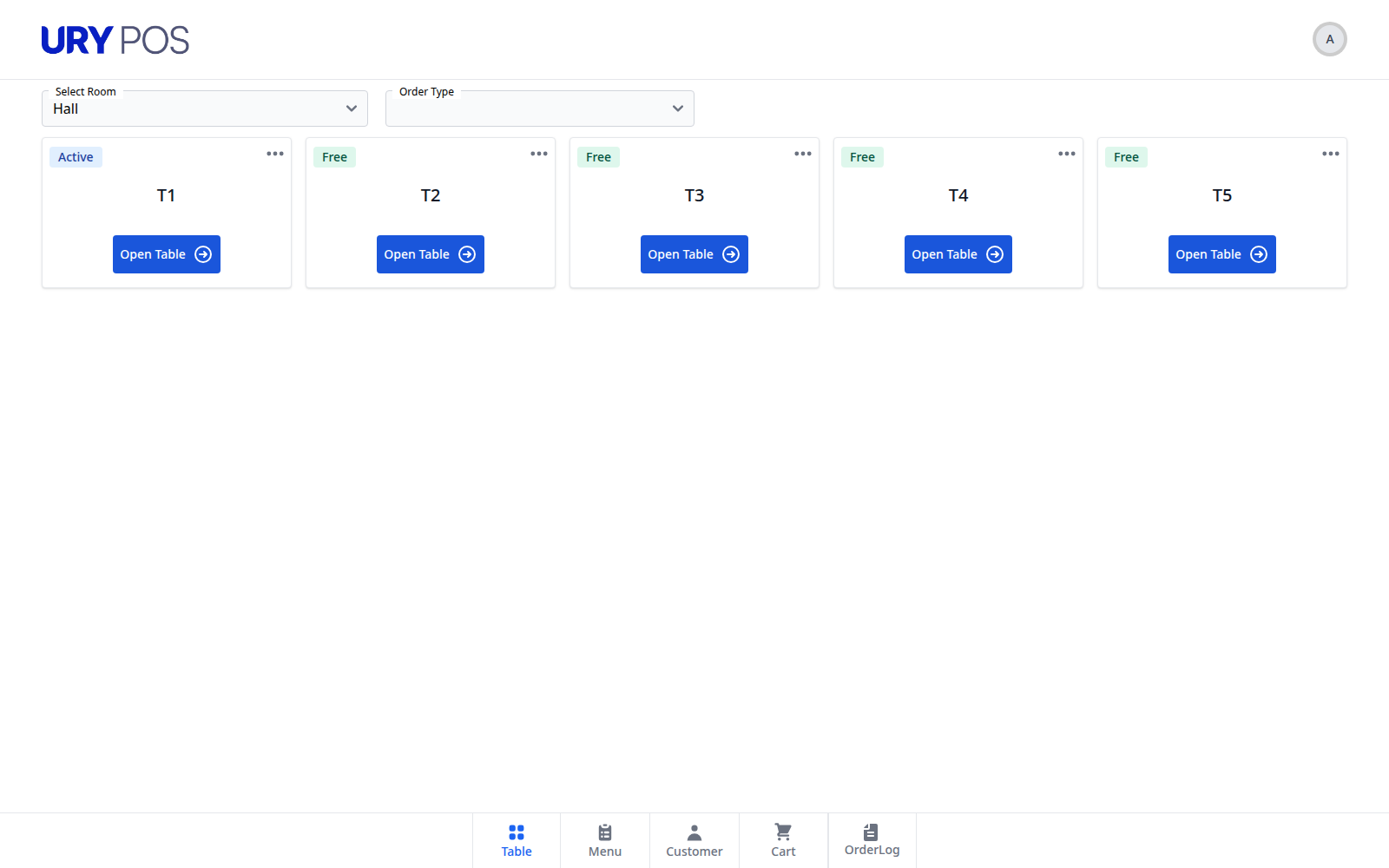
Waiter Floor Console displaying active dining tables, ready dishes, bills, table transfers, and service tasks

Waiter Floor Console

Staff see occupied tables, ready dishes, bills, transfers, and pickup tasks in one place.

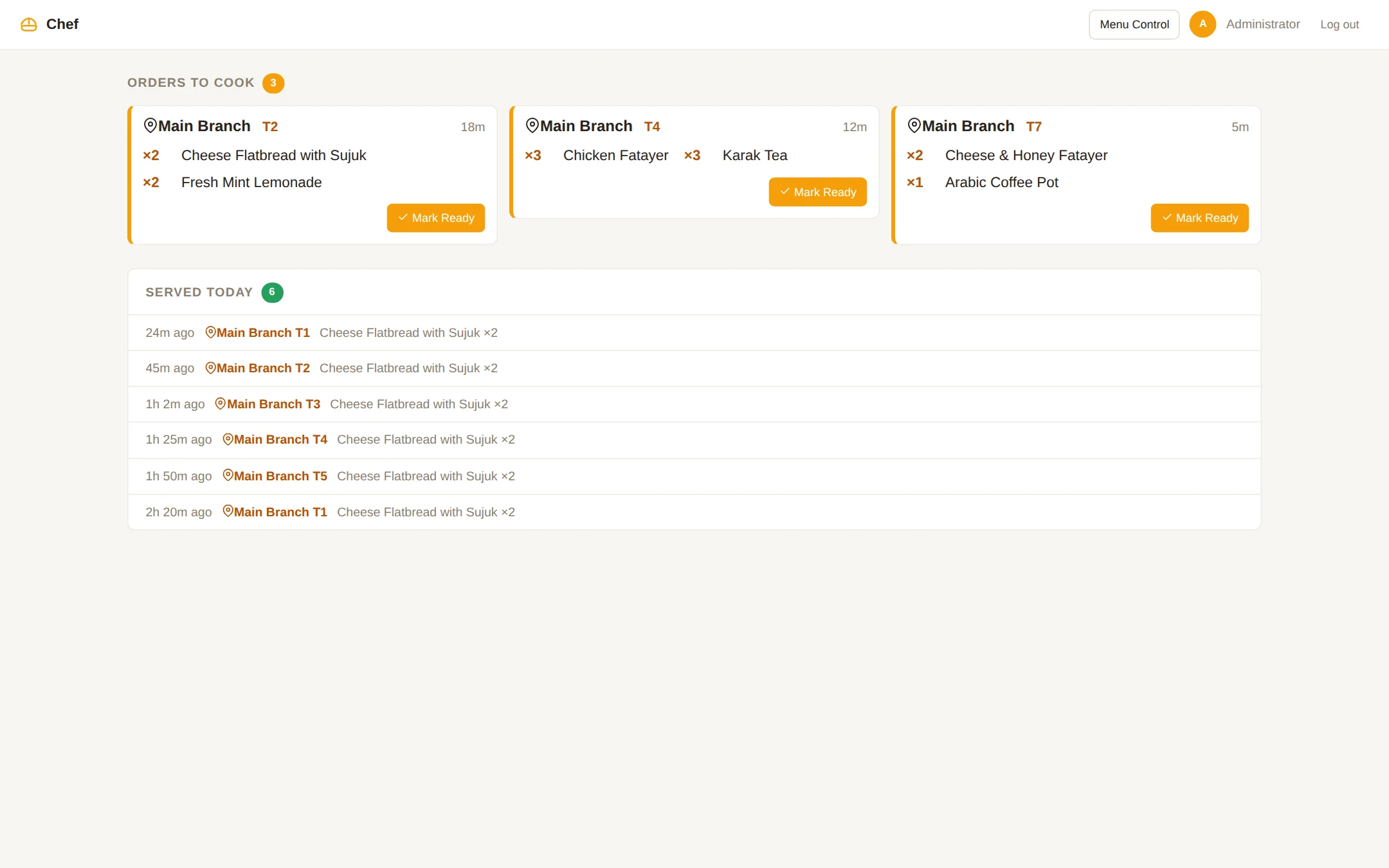
Live Kitchen Display with order tickets showing dishes, table numbers, elapsed prep timers, and bump status

Live Kitchen Display

Kitchen tickets show dishes, tables, elapsed preparation time, and one-tap ready status.

Manager Operations Dashboard tracking live floor tables, daily revenue, bookings, best-selling dishes, and visible staff-on-shift count

Manager Operations Dashboard

Monitor live tables, daily revenue, reservations, best sellers, visible staff-on-shift count, and guest ratings.

Shift History and Revenue ledger auditing orders, items, service channels, tables, and daily revenue totals

Shift History & Revenue

Audit every order, item, service channel, table, and daily total from a clear shift ledger.

Get Started

Ready to streamline your restaurant operations?

Sit down with our hospitality systems engineers in Doha or book a remote walkthrough. We will map your floor plan, stations, and menu into BackHouse, then define a diagnostic pilot that measures contribution margin, throughput, waste, and reconciliation against your baseline.

Your first step with Basira

Start with one useful change

The first discovery call is free and takes 30 minutes. We review one workflow and check the fit. A detailed operations audit is scoped separately.

Know the cost before committing

Your written proposal identifies setup, data migration, training, hardware, hosting, support and usage charges where needed. We confirm timing and recurring costs before work starts.

Test before expanding

We check your tools and equipment, agree access and staff approvals, and plan for interruptions. Train one team, test exceptions and review results before expanding.